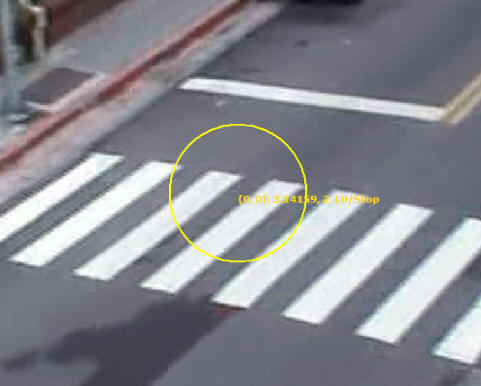
If a channel support PTZ and is attached to a player, users can hold left mouse
button on it to start PTZ control.
An yellow circle appears when the operation is valid. Hold mouse
button and drag to the direction you want the PTZ camera to turn.
當支援PTZ的攝影機連結至播放器時,在播放器上按住滑鼠左鍵可開始PTZ操作,黃
色的圓圈出現比表示PTZ可控制,欲操作PTZ,將滑鼠拖曳至欲控制的方向。
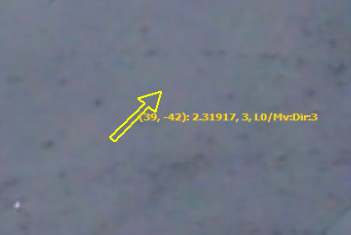
An yellow arrow indicates the direction and the speed to turn the PTZ camera.
The camera turns faster when the
arrow is longer. To stop the camera, simply release mouse
button. To zoom in/out, use the mouse wheel.
PTZ操作時,黃色的箭頭表示PTZ的方向與速度,越長的箭頭表示PTZ轉動越快。放開
滑鼠鍵即可停止PTZ。使用滑鼠滾輪可控制PTZ的鏡頭伸縮。
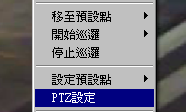
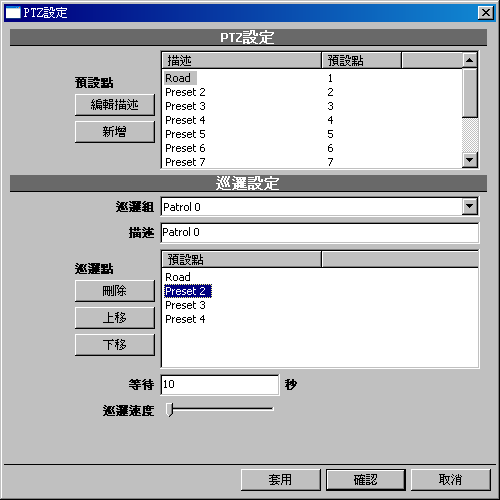
Before you can use presets, you must first configure PTZ configuration. To
invoke the configuration dialog,
click PTZ config in player context menu.
If there's no PTZ config item in
the context menu, check the video config to see if the proper PTZ type is
selected. For more information,
check Video Configuration.
在使用預設點之前,必須先設定PTZ組態,請使用播放器之滑鼠右鍵選單中的PTZ設定來開啟PTZ組態對話視窗。如果右鍵選單中無PTZ設定的選項,請確認影像設定中
是否選擇正確的PTZ類型。請參考影像設定。

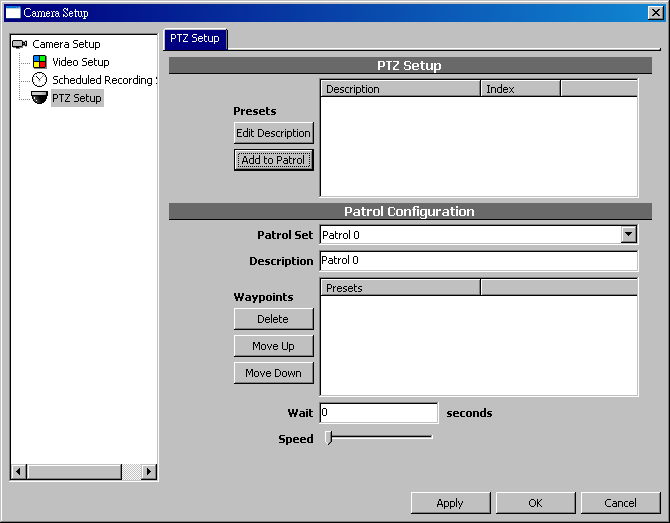
The description can be renamed by clicking on its description. Click
OK when you done
with configuration.
點擊預設點的描述可以編輯其內容。設定完成後請按確認。
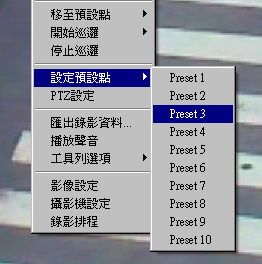
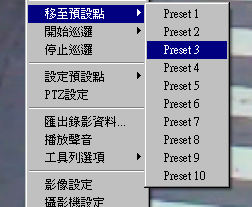
After PTZ is configured, you can use context menu of player to set or recall
presets. Or use keyboard
0-9 to recall when the player is focused.
PTZ設定完成後,請使用播放器右鍵選單來設定或呼叫預設點,或者當播放器取得焦
點時,使用鍵盤上的0-9來呼叫預設點。
Patrol is a list of presets to be called in sequence. You can manage up to 10
patrols in the PTZ dialog.
使用巡邏設定可定義多數之預設點,PTZ攝影機將依序呼叫預設點。

The interval and speed of patrol can be set.

Click the buttons to remove or change the order of presets.
To add a preset in the patrol, drag it from
PresetList and
drop it in Patrol.
<NOTE> PTZ functionality is limited by the actual specs and SDK
support of the hardware. Not all models support the functions mentioned above.
<請注意>
PTZ功能因硬體規格與SDK支援的差異,並非任何型號之攝影機皆可支援上述所有功能。